Employee management
One record per person. Everything else reads from it.
The directory is where leave balances, salary structures, payslips and documents all attach. Get this right once and the rest of the product has something solid to stand on.
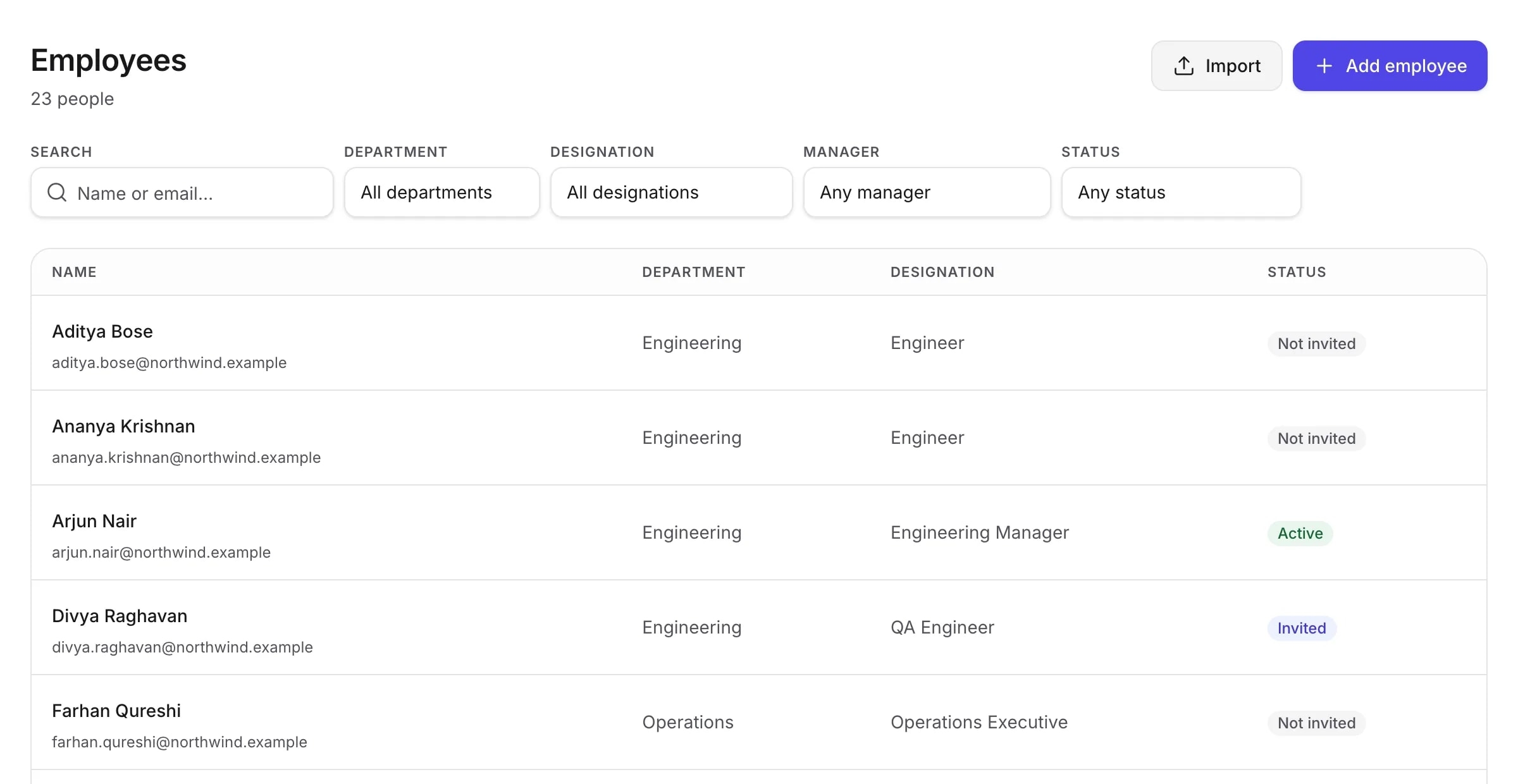
The profile
Three groups, because that is how people think about it.
An employee record is not a form with forty fields in one column. Personal details, employment facts and where somebody sits in the company are three different questions, asked by different people, at different times.
- Personal — preferred name, contact details, date of birth
- Employment — employee code, joining date, type, work location
- Organisation — department, designation and who they report to
- Employees can keep their own contact details current; HR owns the rest
Lifecycle
From the offer letter to the last working day.
Two things change independently: whether somebody works here, and whether they can sign in. TopexHR keeps them apart, because conflating them is how a departed employee keeps their login.
Their employment
Active while they are here. When they leave, record it — with a last working day and a note in your own words about why. They stay in your records, because payroll history, payslips and documents still refer to them.
- Record an exit with a date and a reason
- Correct an exit that was entered wrongly
- Nothing is deleted — a leaver is a leaver, not a gap
Their account
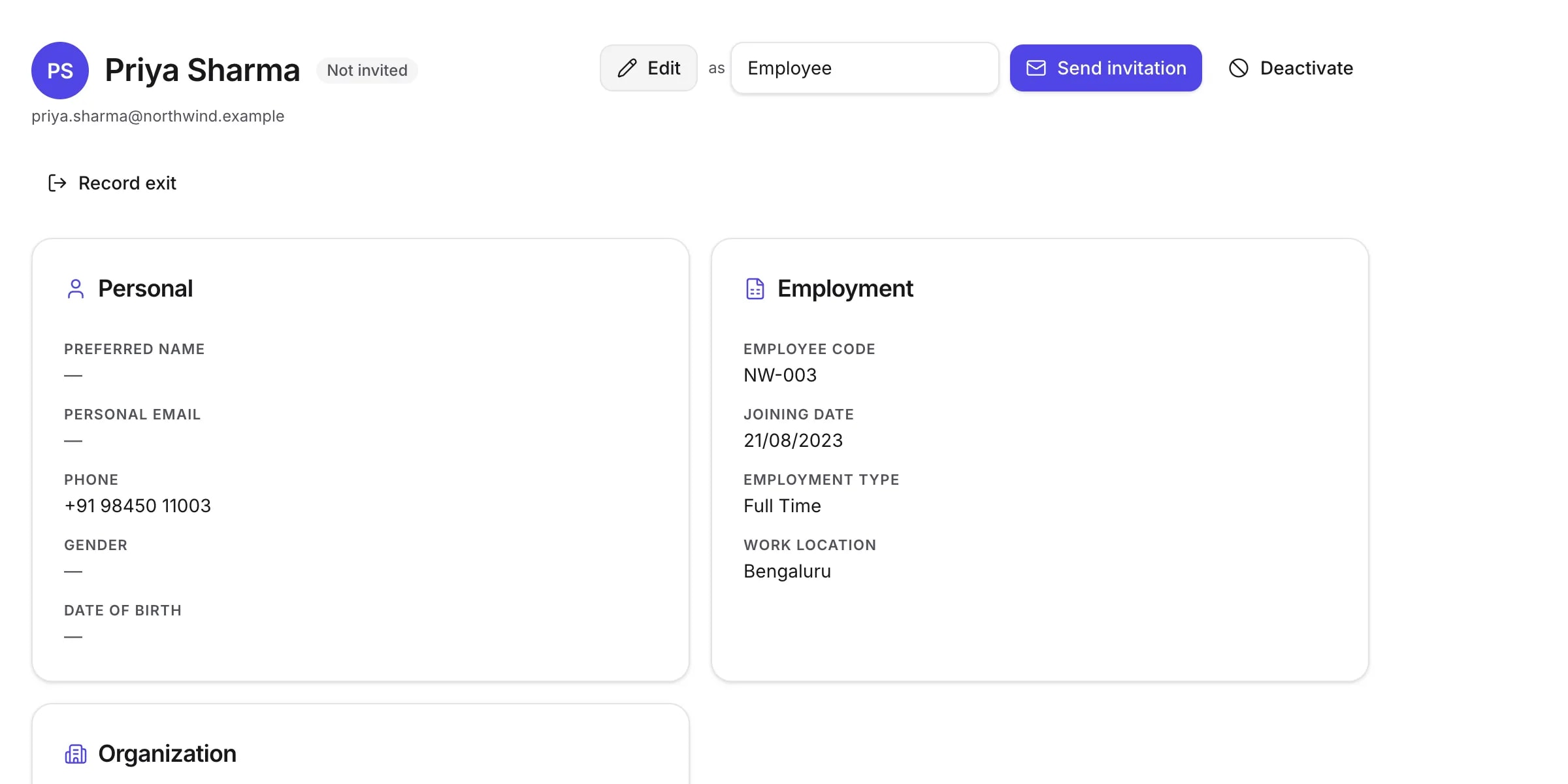
Separate, and it starts switched off. Add someone as a record first; invite them to activate a login when you are ready for them to have one — and choose which role they get at the same time.
- Not invited → invited → active → deactivated
- Invite by email, with the role they should hold
- Deactivate access without touching the employment record
Getting started
Your whole team, from a spreadsheet.
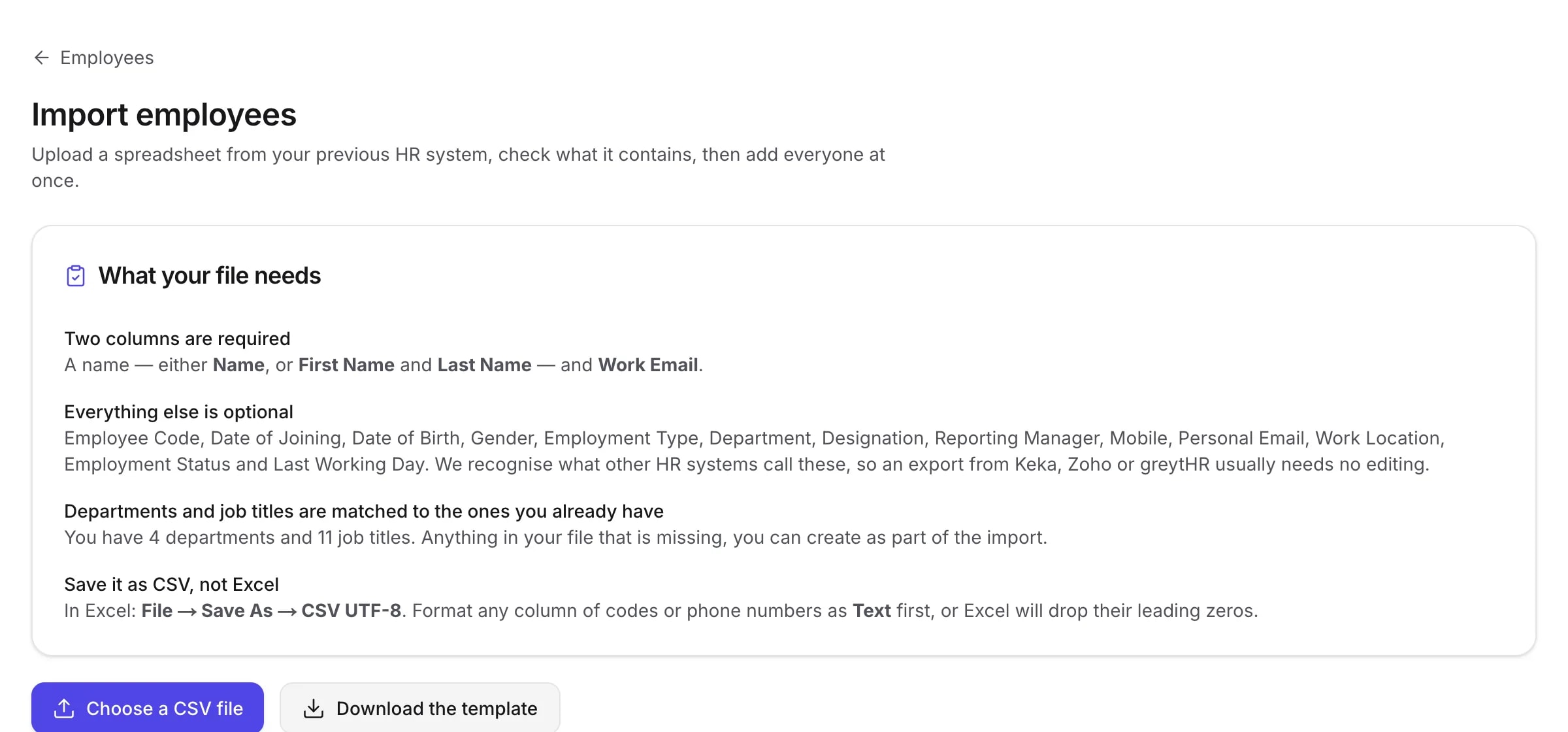
Nobody types in eighty employees. Upload a spreadsheet, see what TopexHR read from it, fix what it could not understand, and then commit — in that order, because a bulk import that writes first and reports afterwards is not an import, it is a cleanup job.
- Upload the file your previous system exported
- See exactly what will be created before anything is written
- Rows with problems are listed with the problem, not silently dropped
- Departments and designations are matched by name, as your file writes them
Company structure
Departments and designations you define.
They appear on the directory, on payslips and in payroll — so they are worth setting up once, properly.
- Create the departments your company actually has
- Create the job titles you actually use
- Assign a manager to build a reporting line
- Archive one you have stopped using without losing its history
Documents
The paperwork, attached to the person it belongs to.
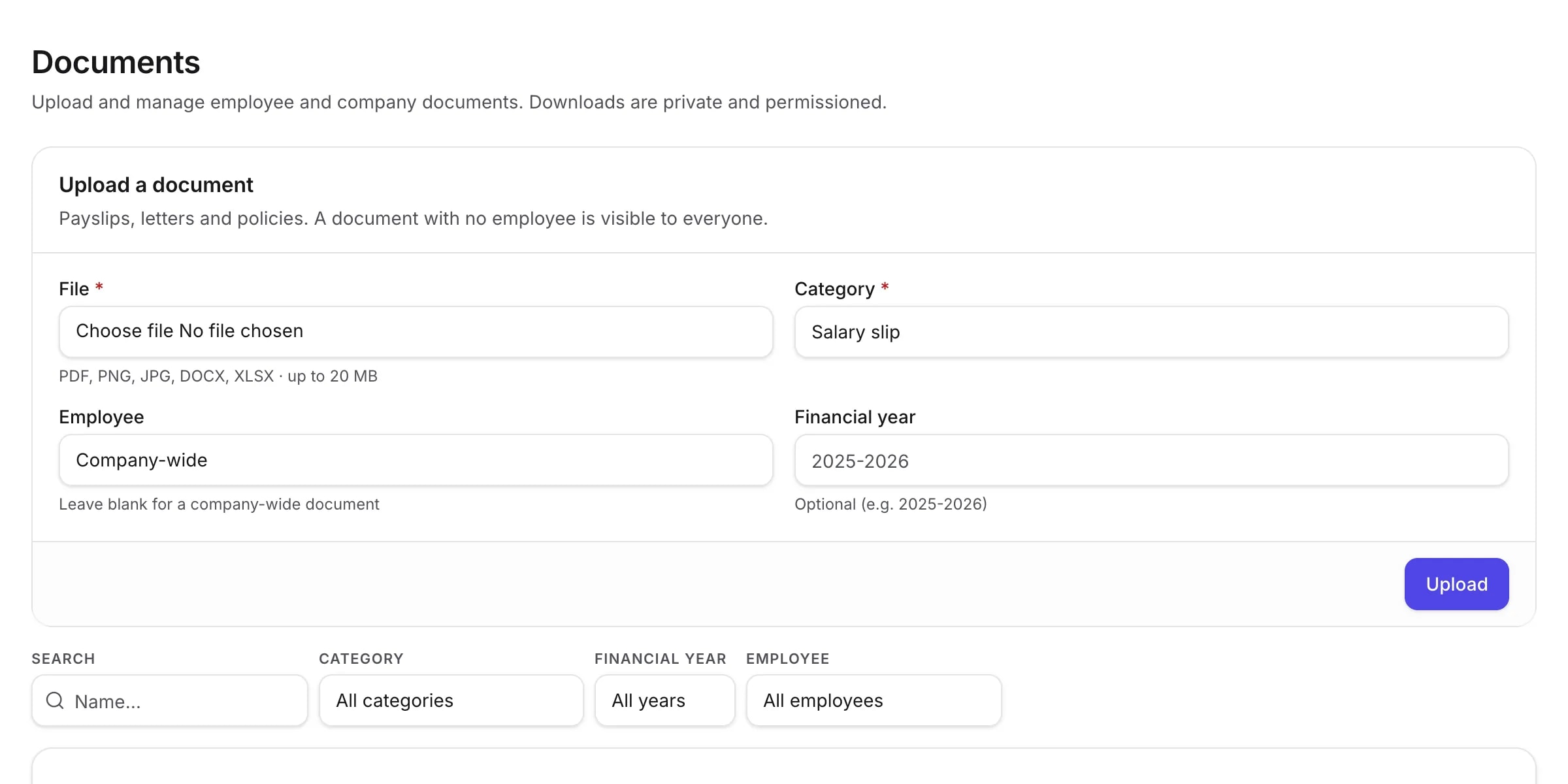
Offer letters, policies, Form 16s your accountant produced, anything else worth keeping. Upload it, categorise it, and it is where somebody would look for it.
To be exact: TopexHR stores and serves documents. It does not generate Form 16 or any other statutory document — those are files you upload.
- Company-wide documents everyone can see — policies, handbooks
- Per-employee documents only the right people can open
- Filter by employee, category or financial year
- Stored privately: there is no public link to any file, ever
- Every download passes a permission check on the server first
Ready to simplify HR?
Create your company, add your people, and run a payroll this month. Fourteen days free, and no card to start.