Payroll
Run payroll on the 30th without dreading the 29th.
Build the month from salary structures already on file, review every person, process once, and give your team payslips they can download themselves.
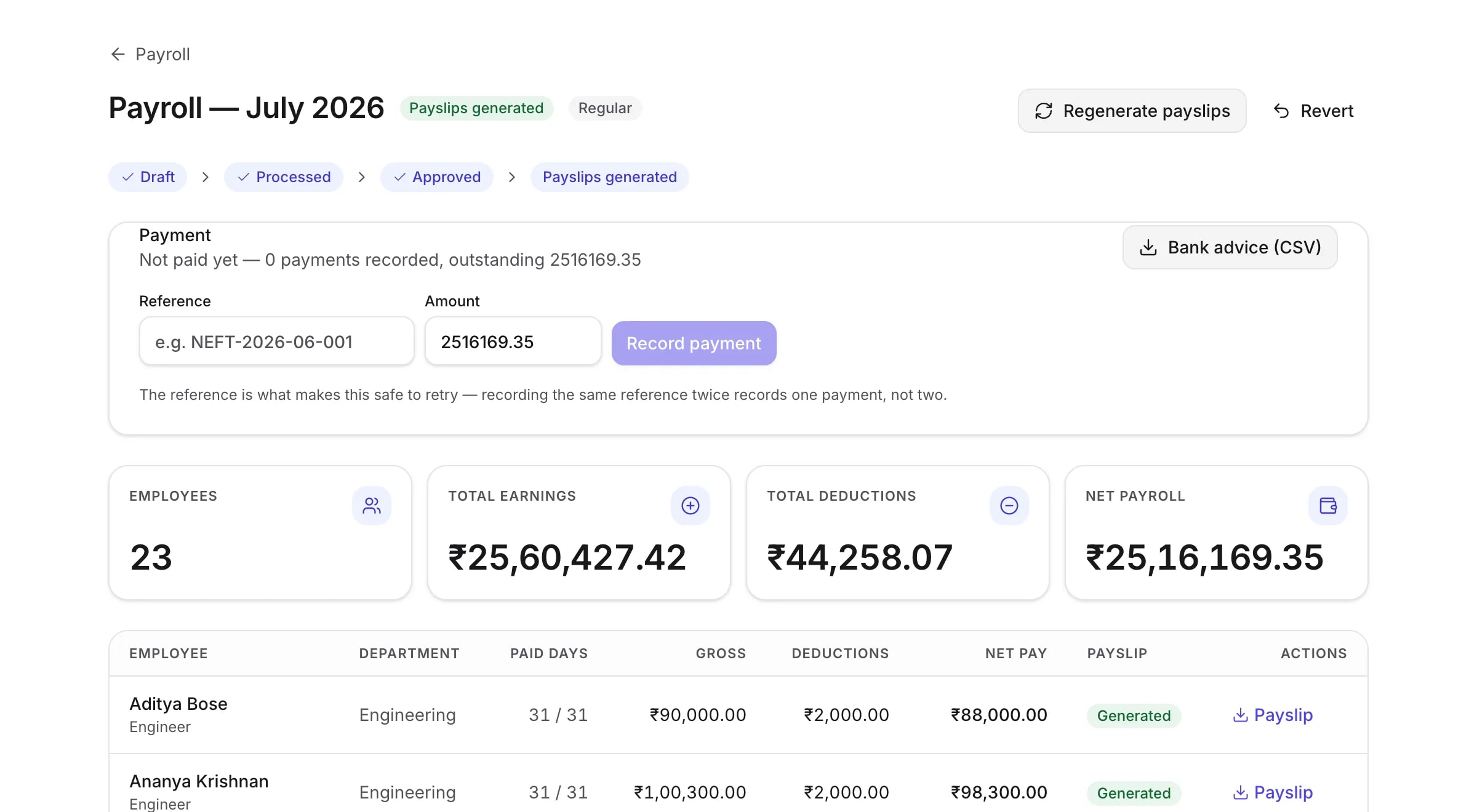
The monthly cycle
Five stages, in order.
Each one is a deliberate step. Nothing happens to your figures because a screen was left open.
Build
A run is created for the month and filled from the salary structures on file, for everyone employed during it.
Review
Go through it person by person. Add a one-off amount, or override somebody’s paid days with a reason.
Process
The figures freeze. From here a change means a recorded revert, not an edit.
ApproveOptional
A second person authorises the run for payment. Off by default — turn it on if you want the control.
Payslips
A PDF for each employee, available to them in their own account.
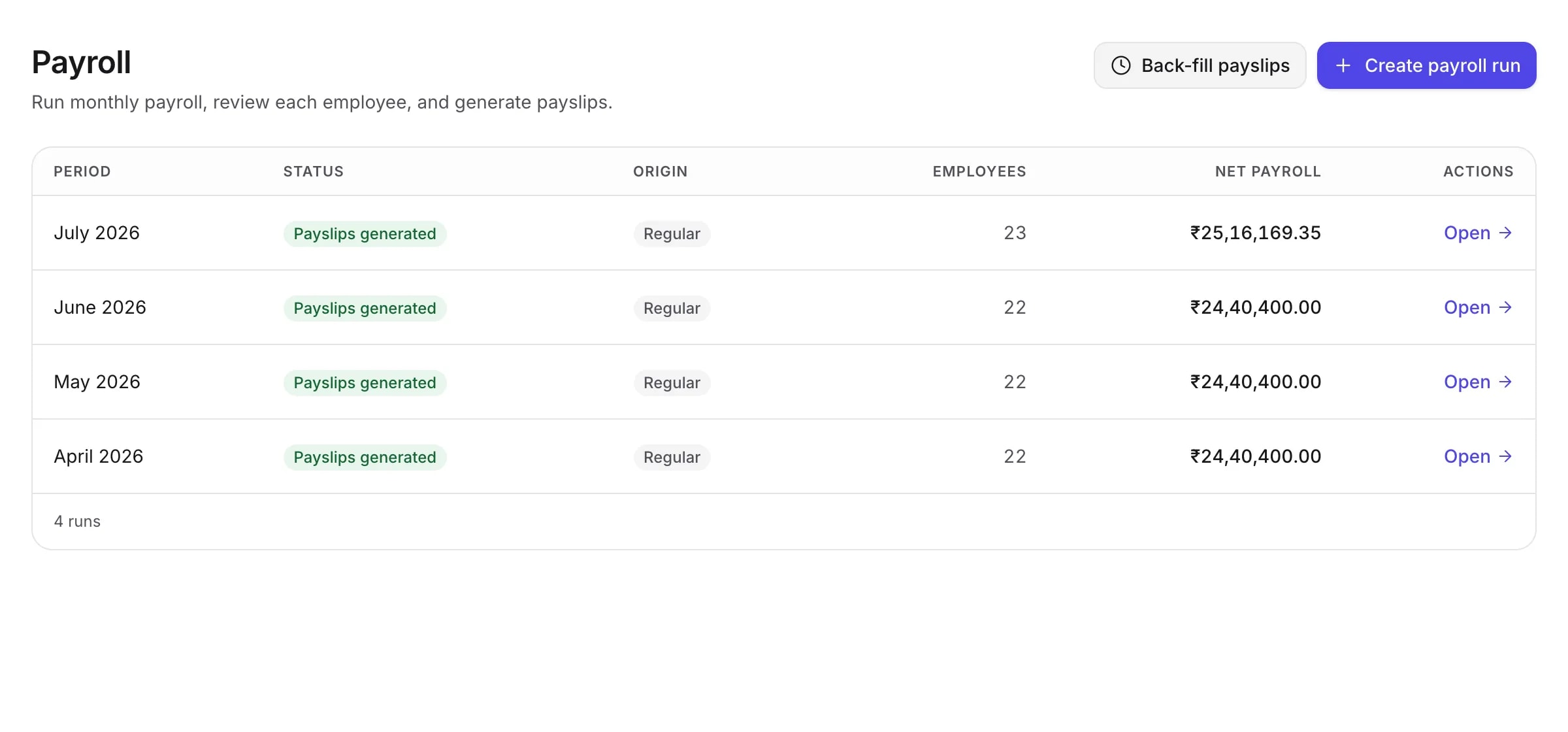
Building the run
It fills itself in from what you already told it.
You do not assemble a payroll run. You create it for a month, and it is built from the salary structures already on file — including the revision that took effect halfway through last quarter, because structures are effective-dated.
- Salary structures are read as they stood during that month
- Only people actually employed in the period are included
- Joiners and leavers are prorated on real day counts
- Unpaid leave becomes loss of pay, naming the days behind it
Reviewing
Check it before it counts.
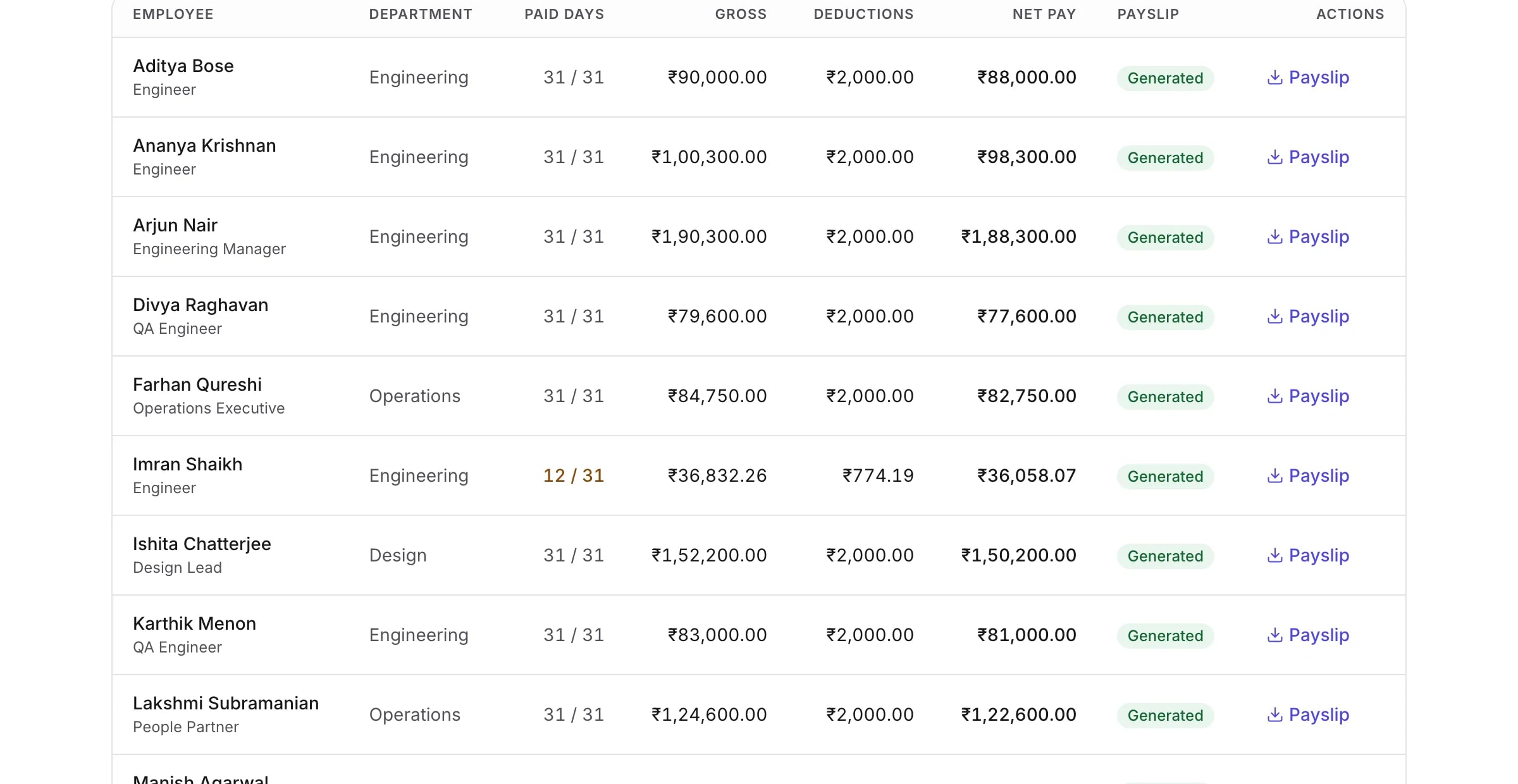
A draft run is yours to go through. Every employee shows their paid days, gross, deductions and net pay, and expanding a row shows the individual earning and deduction lines that got there.
- Add a one-off bonus, incentive or deduction to a single person
- Adjustments can be negative — a recovery is not a special case
- Override paid days when you must, with a reason that is kept
- Every figure traces to the structure or adjustment that produced it
Processing and approval
Once it is processed, it stops moving.
Payroll that can be quietly edited after the fact is not a record. Processing freezes the figures, and the freeze is enforced by the database rather than by the absence of a button.
Frozen means frozen
Database triggers refuse a change to a processed run’s figures. Not a disabled control — a refusal at the layer underneath the application.
Corrections are recorded
Reverting a run is an audited action that returns it to draft. There is no path that changes a processed figure without leaving a trace.
Approval, if you want it
Require a second person to authorise a run before payslips can be produced — and optionally forbid whoever processed it from being that person. Both are off unless you turn them on.
Payslips
A payslip your employee can fetch at 11pm without asking you.
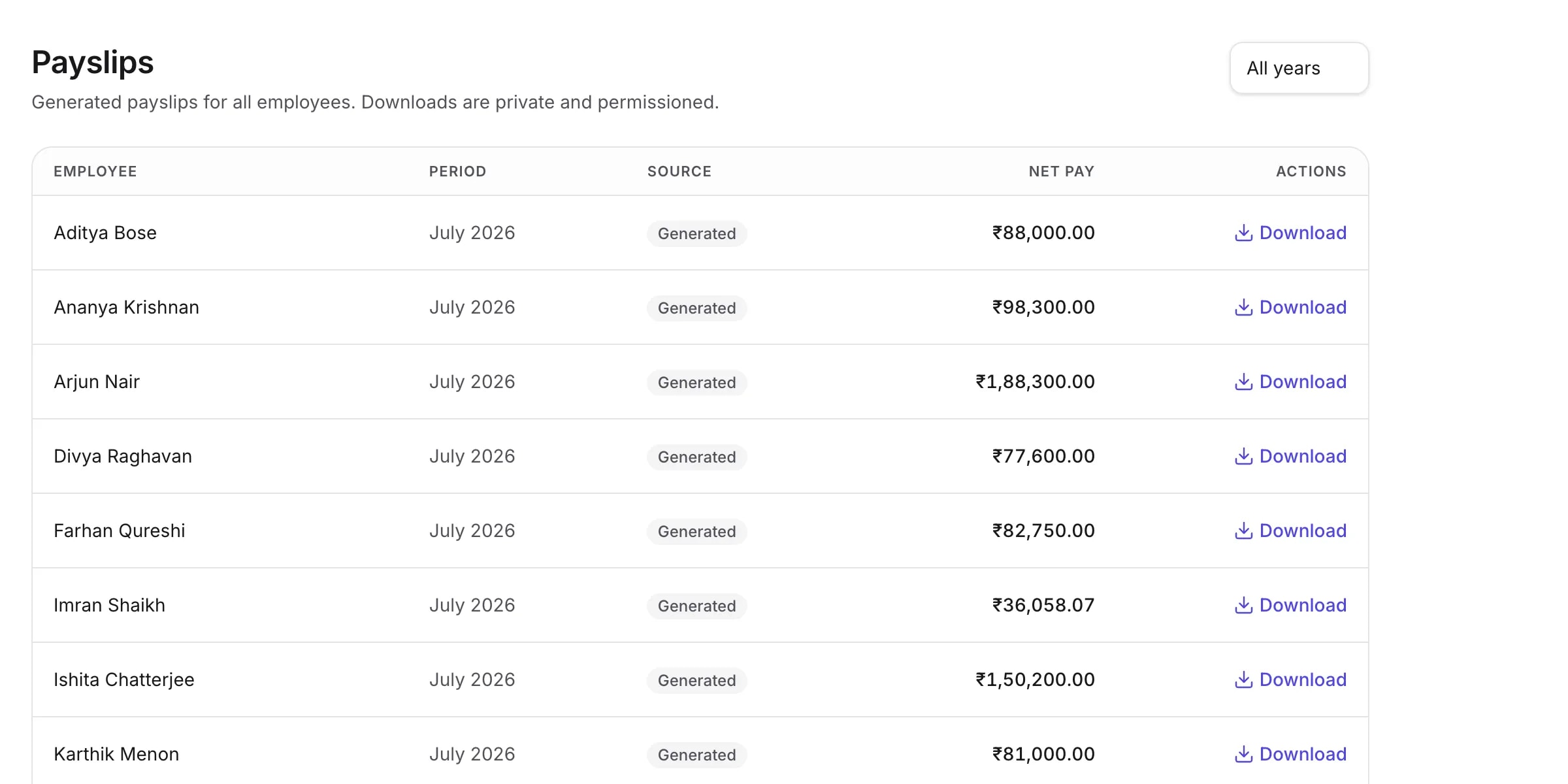
Generating payslips produces a PDF per employee from the frozen figures. They appear in each person’s own account, so the request that used to arrive by email at the worst possible moment stops arriving.
- Your legal name, registered address, CIN and logo on every slip
- Earnings and deductions side by side, with net pay written in words
- Employees see their own payslips and download them themselves
- Regenerating adds a version — the one they already have is never overwritten
Paying people
TopexHR prepares the payment. Your bank makes it.
We do not move money, and we are not going to pretend otherwise. What we do is make the part around it accurate.
- Download a bank advice file for the run and upload it to your bank
- Record what actually went out, when, and under which reference
- Partial payments are ordinary — a run can go out in more than one transfer
- Repeating a reference records nothing new, so a retry cannot pay twice
- Set your pay day, arrears month and when payslips may be released
Switching from another system
Bring your payroll history with you.
The reason people stay on payroll software they dislike is the history. Moving means either abandoning it or re-keying years of figures, and both are bad answers.
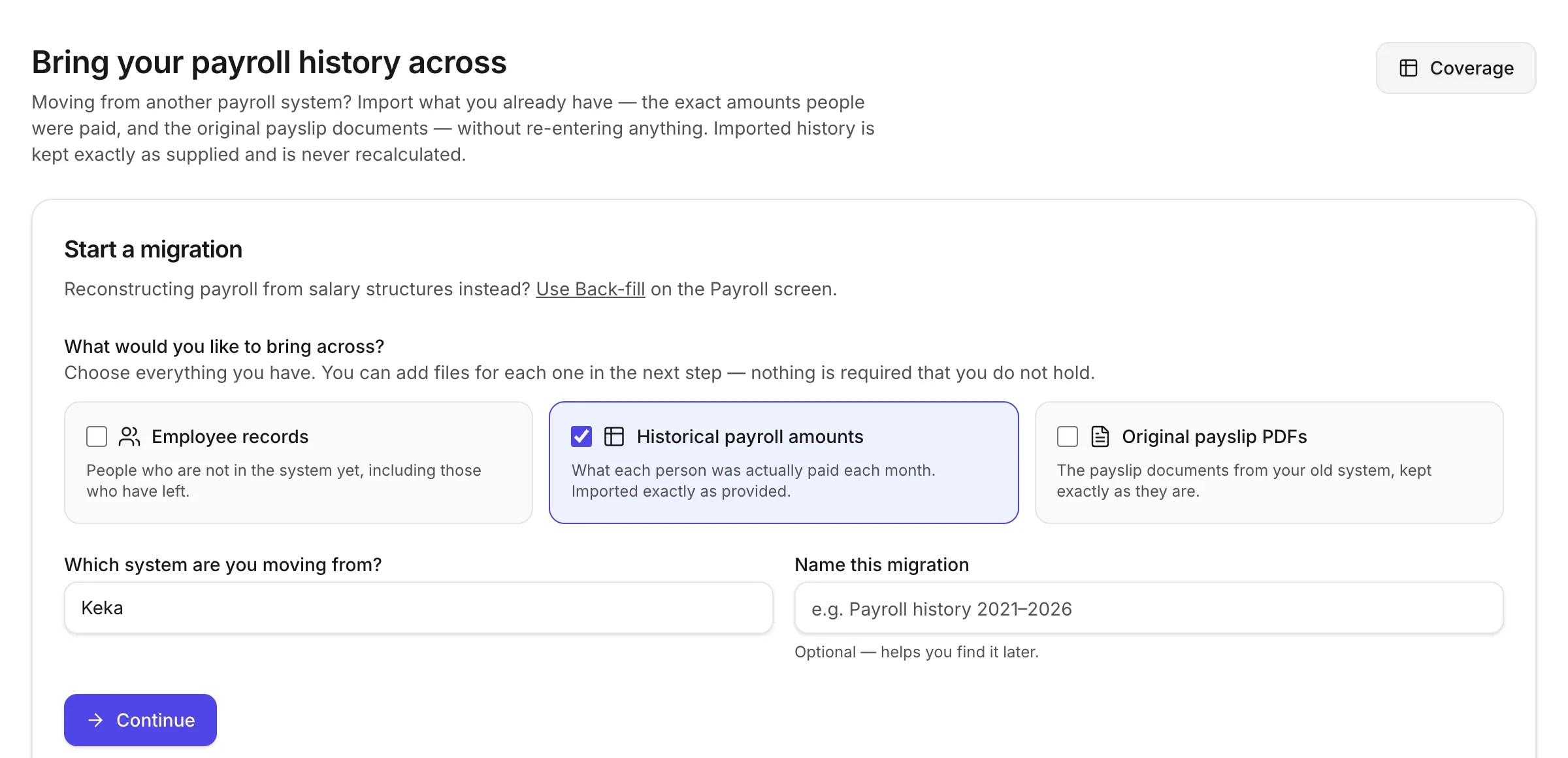
TopexHR imports what your previous system paid — month by month, person by person — and treats those figures as the record they are.
- Upload your files, map your columns, match your people, review, commit
- Nothing is written to payroll until you confirm it
- Imported amounts are kept exactly as supplied and never recalculated
- The original payslip documents come across too, and stay downloadable
- Corrections are void-and-replace, always audited — never a silent edit
Then check the import actually landed
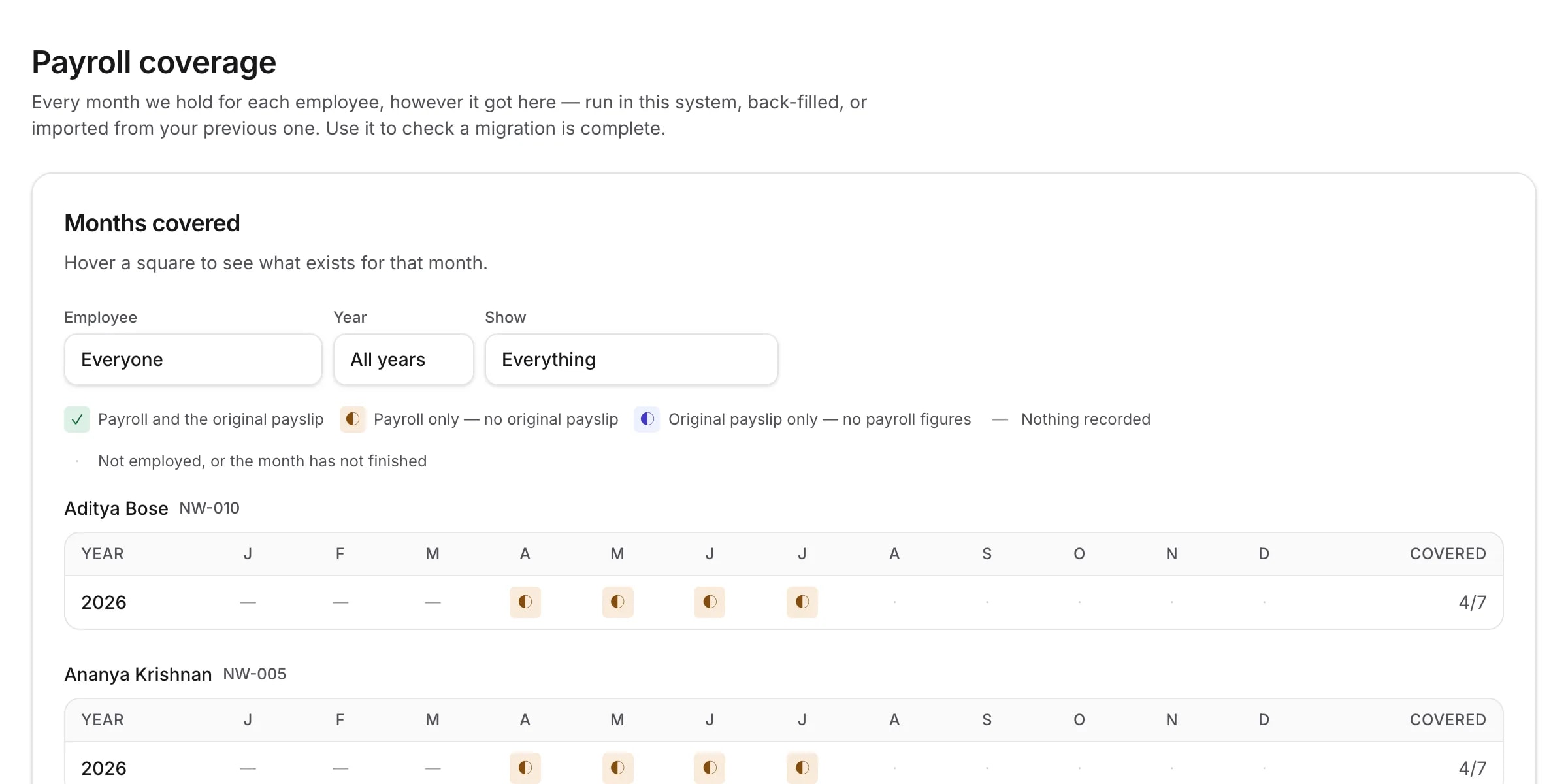
The coverage grid shows every month you hold for every person, and where each one came from — run here, back-filled, or imported. A gap is visible as a gap, which is the only way to know a migration is finished rather than nearly finished.
What payroll does not do
Every one of these is genuinely absent, and each is a reason some companies should not buy TopexHR yet. We would rather you knew now than found out during implementation.
- Income tax or TDS computation
- Form 16 generation
- PF, ESI or professional tax calculation
- Statutory filing or returns
- Weekly or fortnightly payroll
- Bank transfers or payment gateways
- Full and final settlement
- Attendance-based pay
- Reimbursement or loan workflows
- Flexible benefit plans
Questions
What people ask before they switch
- Does TopexHR calculate income tax, TDS or statutory contributions?
- No. Payroll adds up the earnings and deductions you have configured — it does not compute income tax, TDS, PF, ESI or professional tax, and it does not file returns. You decide the amounts; TopexHR applies them consistently, keeps the history and produces the payslips.
- Can payroll read attendance data?
- No — there is no attendance tracking in TopexHR. What payroll does read is leave: if HR marks an absence unpaid, those days become loss of pay on that month’s run, and the line names the dates that caused it.
- How often can I run payroll?
- Monthly. One run per calendar month, per company. Weekly and fortnightly cycles are not supported.
- What happens if I get something wrong after processing?
- A processed run is frozen — enforced by the database, not just by hiding a button. To change it you revert it, which is recorded, then correct and process again. Payslips already issued are superseded rather than overwritten, so nobody is left holding a document that no longer matches your records.
- Does TopexHR pay my employees?
- No. It produces a bank advice file you upload to your bank, and then you record the payment against the run — including partial payments, when a run goes out in more than one transfer. Money movement stays with your bank.
- What about someone who joins or leaves mid-month?
- They are paid for the days they were employed. TopexHR counts the actual days and shows the count on the payslip, so the figure can be explained without recalculating it by hand.
Run your next payroll here.
Set your company up, bring your salary structures across, and process a month. Fourteen days free, and no card to start.