Leave management
One balance. No approval queue.
Most HR systems turn a day off into a workflow. TopexHR gives each person one annual balance and lets them record the days they are taking.
Why we took the workflow out
In a company of twenty to a hundred people, leave approval is usually theatre. The conversation already happened — in a meeting, in a message, over a desk. By the time a request appears in an HR system, somebody is clicking approve on a decision that was made last week.
What the company actually needs is the record: how many days someone has, how many they have used, and what changed. So that is what TopexHR keeps.
For your team
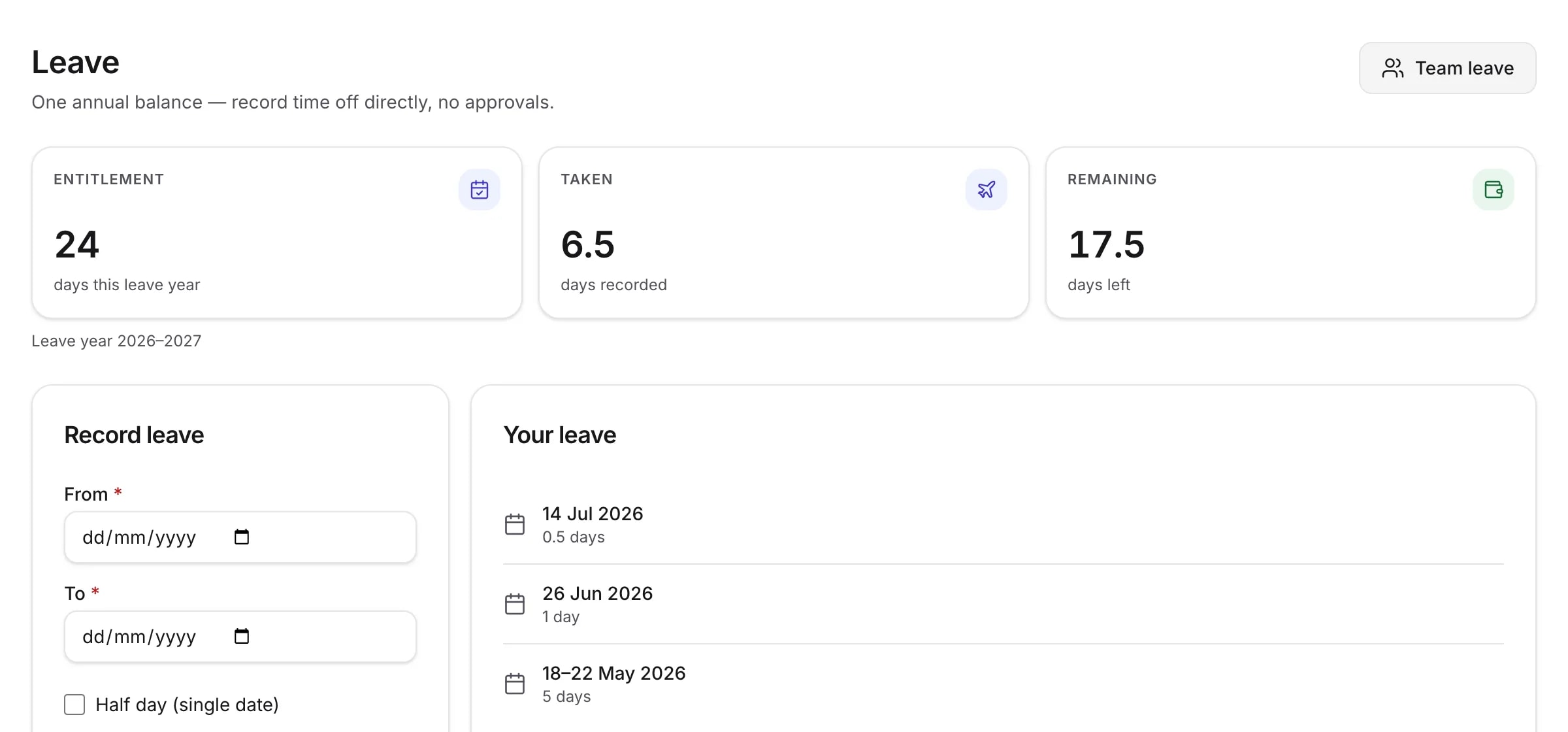
Pick the dates. That is the whole thing.
No leave type to choose, no reason to justify, and nobody to wait for.
- Choose a start and end date — or tick half day for a single date
- The balance updates immediately, with no pending state in between
- Cancel something booked and the days come straight back
- See your own history, and what your remaining balance is, at any time
For HR
Control where it counts, not on every request.
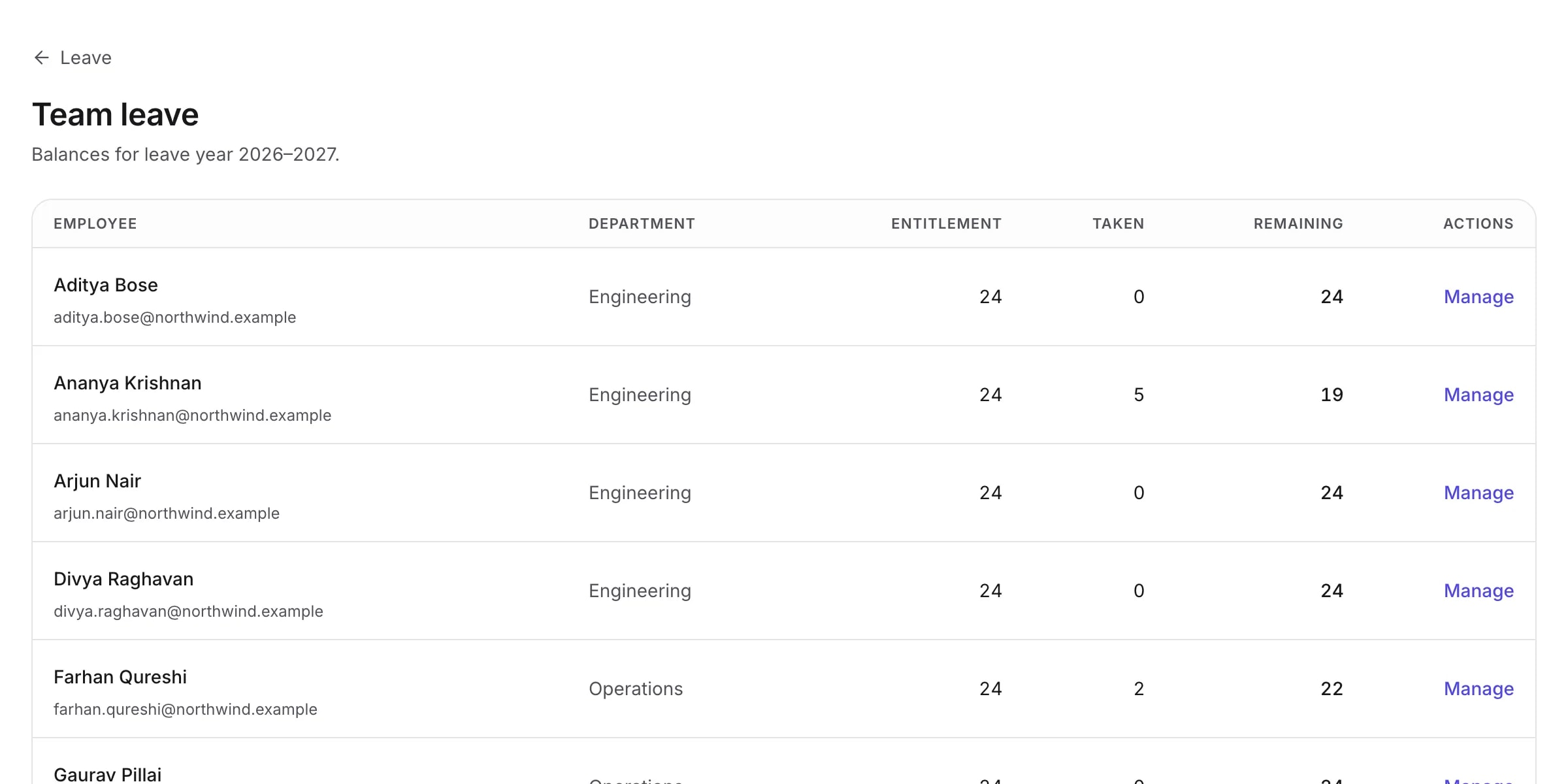
HR sets the annual allowance and can change any balance — but every change is an entry in the ledger with a note, not an overwrite. The question “why does she have 26 days?” has an answer on the screen.
- Set the annual allowance for the company, and adjust any individual
- Record leave on someone’s behalf when they have told you in person
- Adjust a balance up or down with a note saying why
- See every person’s entitlement, usage and remaining days in one table
- A calendar view of who is away and when
The ledger
Allocated, minus used, plus adjustments.
That is the entire formula, and it is the same one on every screen. A balance is never a stored number that drifted out of date — it is derived from the entries, so it cannot disagree with the history behind it.
Where leave meets payroll
Unpaid days reach the payslip on their own.
HR — and only HR — can mark a period of absence unpaid. When that month’s payroll is built, those days become loss of pay, and the line on the run names the absences that produced it.
Payroll reads this. It never writes it. Changing whether an absence was paid is a leave decision, made on the leave screen, by someone with the permission to make it.
Worth being precise about
“Unpaid” is not a leave type — there are no leave types. It is a pay consequence recorded against a period of absence. Everything defaults to paid, including every day an employee books for themselves.
What this doesn’t do
Some of these are deliberate design decisions and some are simply not built yet — but from where you are sitting the difference does not matter, so here is the list either way.
- Leave types (sick, casual, earned)
- Approval workflows or multi-level approvals
- A holiday calendar
- Carry-forward or accrual automation
- Leave encashment
- Attendance or timesheets
- Compensatory off
Ready to simplify HR?
Create your company, add your people, and run a payroll this month. Fourteen days free, and no card to start.