Salary & compensation
Salary structures that survive a revision.
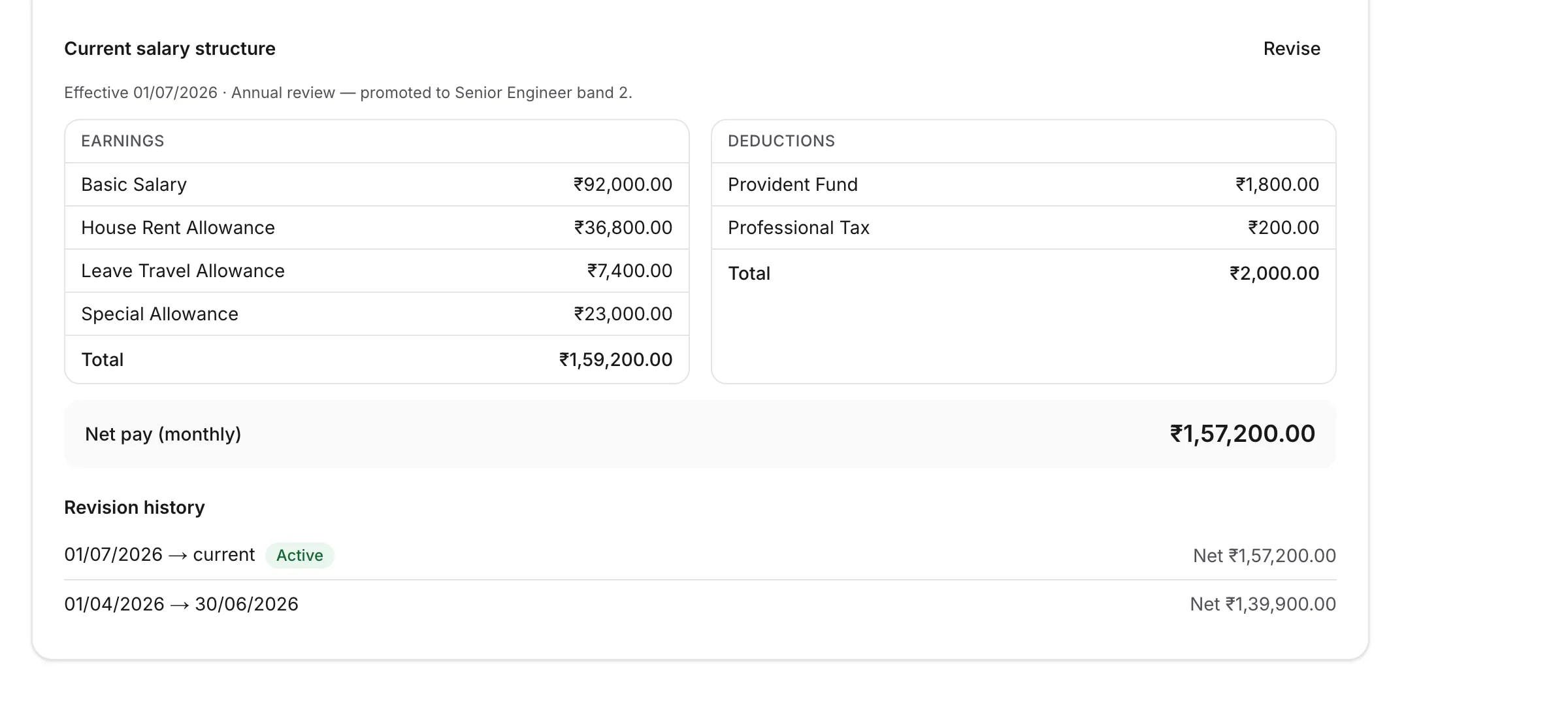
A raise should not erase what somebody used to earn. In TopexHR a revision closes the old structure and opens a new one, so last March still shows what last March actually paid.
Effective dating
Why this matters more than it sounds like it does.
Most of the awkward questions in payroll are questions about the past. Effective dating is what lets the product answer them without anybody reconstructing the answer by hand.
A revision does not overwrite
Assigning a new structure closes the current one with an end date and opens the new one from the date it takes effect. Both rows survive.
Payroll reads the right one
Building a run for June reads the structure that was in force in June — not whatever is current today. Back-filling an old month works for the same reason.
The history is on the screen
Every past structure, the period it applied to and what it netted, on the employee’s own record. Nobody has to open a spreadsheet from last year.
Your components
Earnings and deductions you define.
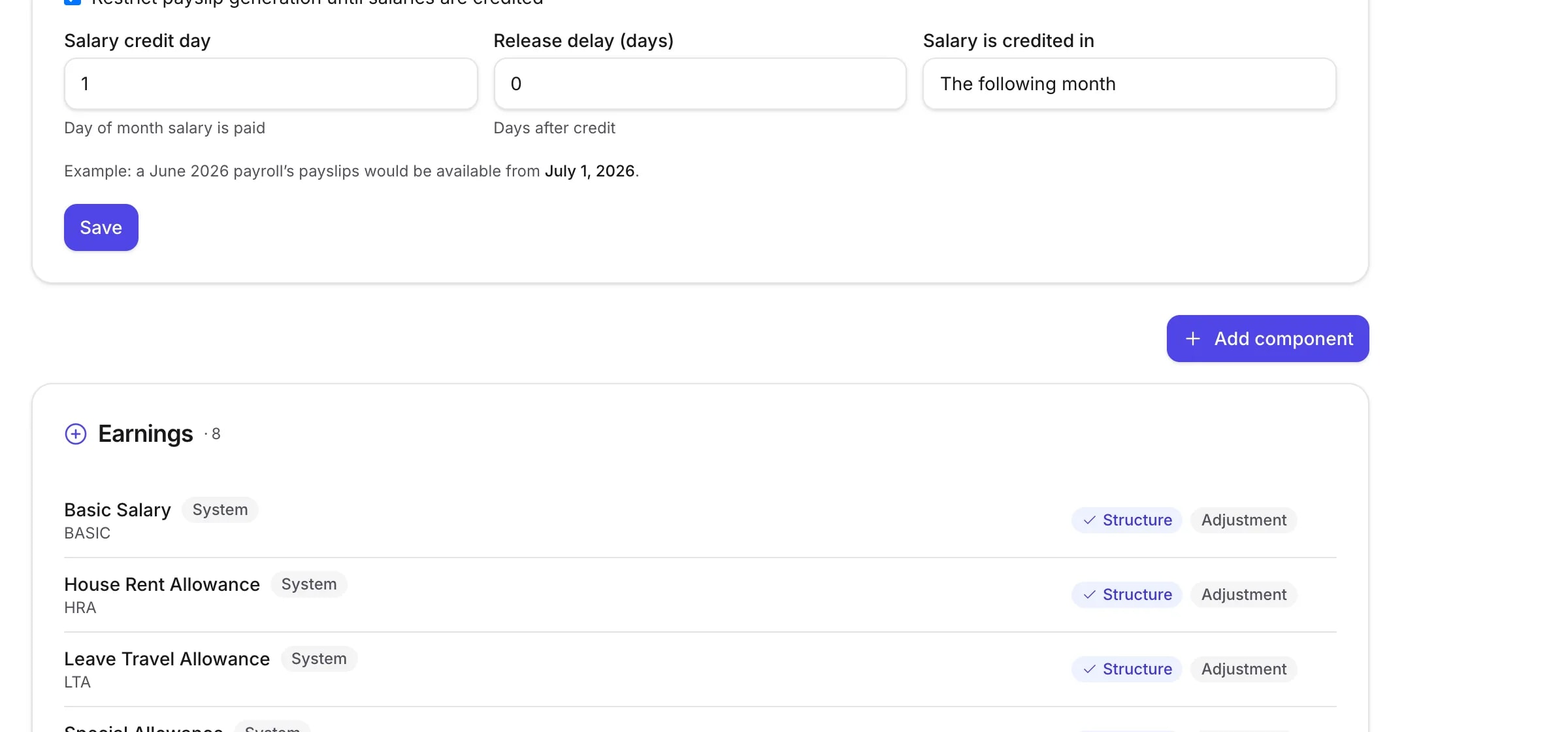
TopexHR does not impose a fixed list of salary heads. Your company gets its own catalogue — seeded with the usual ones so you are not starting from an empty screen, and yours to change from the first day.
- Basic, HRA, allowances, deductions — named and coded the way you name them
- Sensible defaults are created with your company; change or replace any of them
- Mark a component as recurring, one-off, or both
- A component you have stopped using can be retired without breaking history
Payroll profile
The details that end up on a payslip and a bank file.
Held once per employee, used everywhere they are needed, and visible only to people whose role allows it.
- Bank name, account number and IFSC
- PAN
- PF UAN and member ID
- PF join date
Stored and printed, not calculated. TopexHR records these identifiers and puts them where they belong — on payslips and in the bank advice file. It does not compute PF, ESI, professional tax or income tax, and it does not file anything with anybody.
Setting salaries in bulk
Eighty salaries, one spreadsheet.
Setting up compensation for a whole company one person at a time is a bad first day. Upload a spreadsheet of salaries, check what TopexHR read, then apply them all at once — with the same preview-before-commit rule the employee import follows.
- Columns are your component codes, so the file matches your catalogue
- See what will be set before anything is written
- Everything applies from a date you choose, and is effective-dated from there
What compensation does not include
TopexHR holds structured salary data and hands it to payroll. It is not a benefits platform or a tax engine, and these are the things people most often assume it does.
- Income tax or TDS computation
- Investment declarations
- PF, ESI or professional tax calculation
- Flexible benefit plans
- Reimbursements, loans or advances
- Variable pay or commission plans
- Compensation benchmarking
Ready to simplify HR?
Create your company, add your people, and run a payroll this month. Fourteen days free, and no card to start.